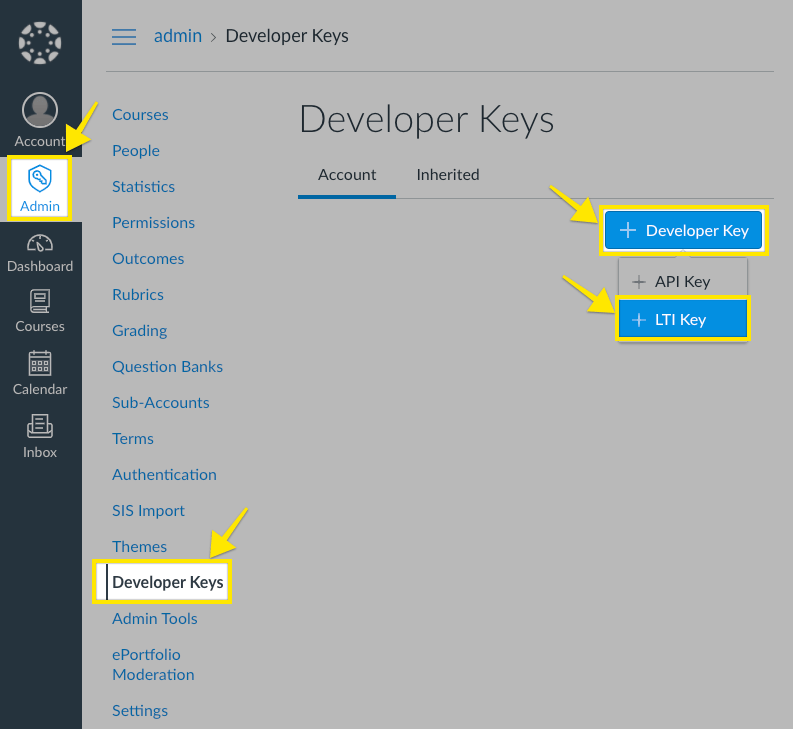
Register the LTI tool, connect the deployment and test a course launch.
You need Canvas administrator access with Global Developer Key creation permissions and access to the StudyStash Admin Dashboard.This guide uses manual registration. Dynamic registration is available on request.
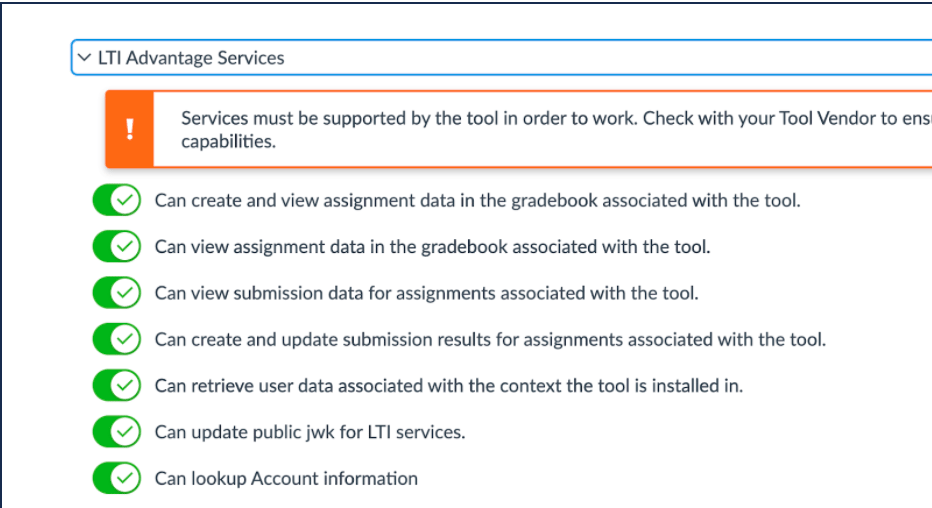
Under LTI Advantage Services, enable the services shown below:
Can create and view assignment data in the gradebook associated with the tool.
Can view assignment data in the gradebook associated with the tool.
Can view submission data for assignments associated with the tool.
Can create and update submission results for assignments associated with the tool.
Can retrieve user data associated with the context the tool is installed in.
Can update public jwk for LTI services.
Can lookup Account information.
Enable the listed LTI Advantage services.
Under Additional Settings, enter:
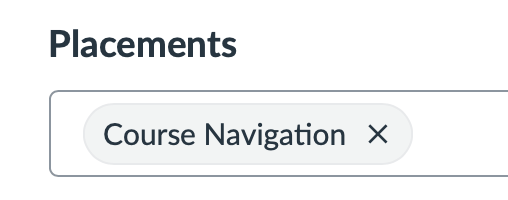
Choose Course Navigation as the placement.
Select Save.
Save the LTI key configuration.
3
Enable the key and copy the Client ID
Set the developer key’s state to On. Copy the Client ID from the Details column; you will use it when installing the app and connecting StudyStash.
Enable the developer key and copy its Client ID.
4
Install the Canvas app
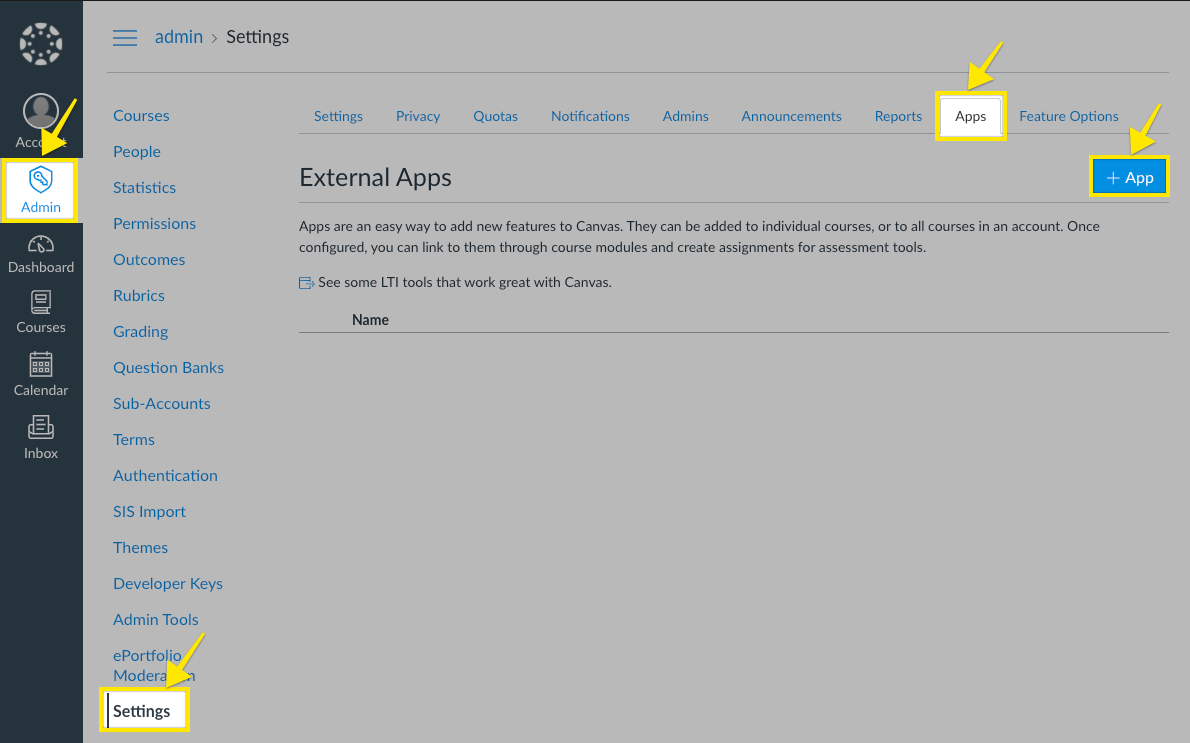
Open Admin → Settings → Apps and select + App.
Add an external app in Canvas settings.
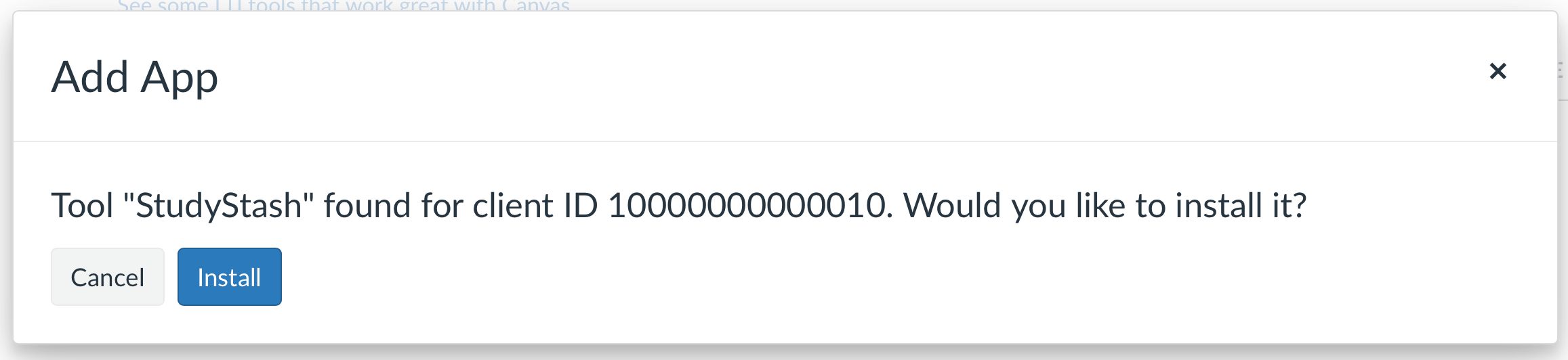
Choose By Client ID as the Configuration Type and enter the Client ID you copied from the developer key. Select Submit, then Install in the confirmation dialog.
Confirm the StudyStash app installation.
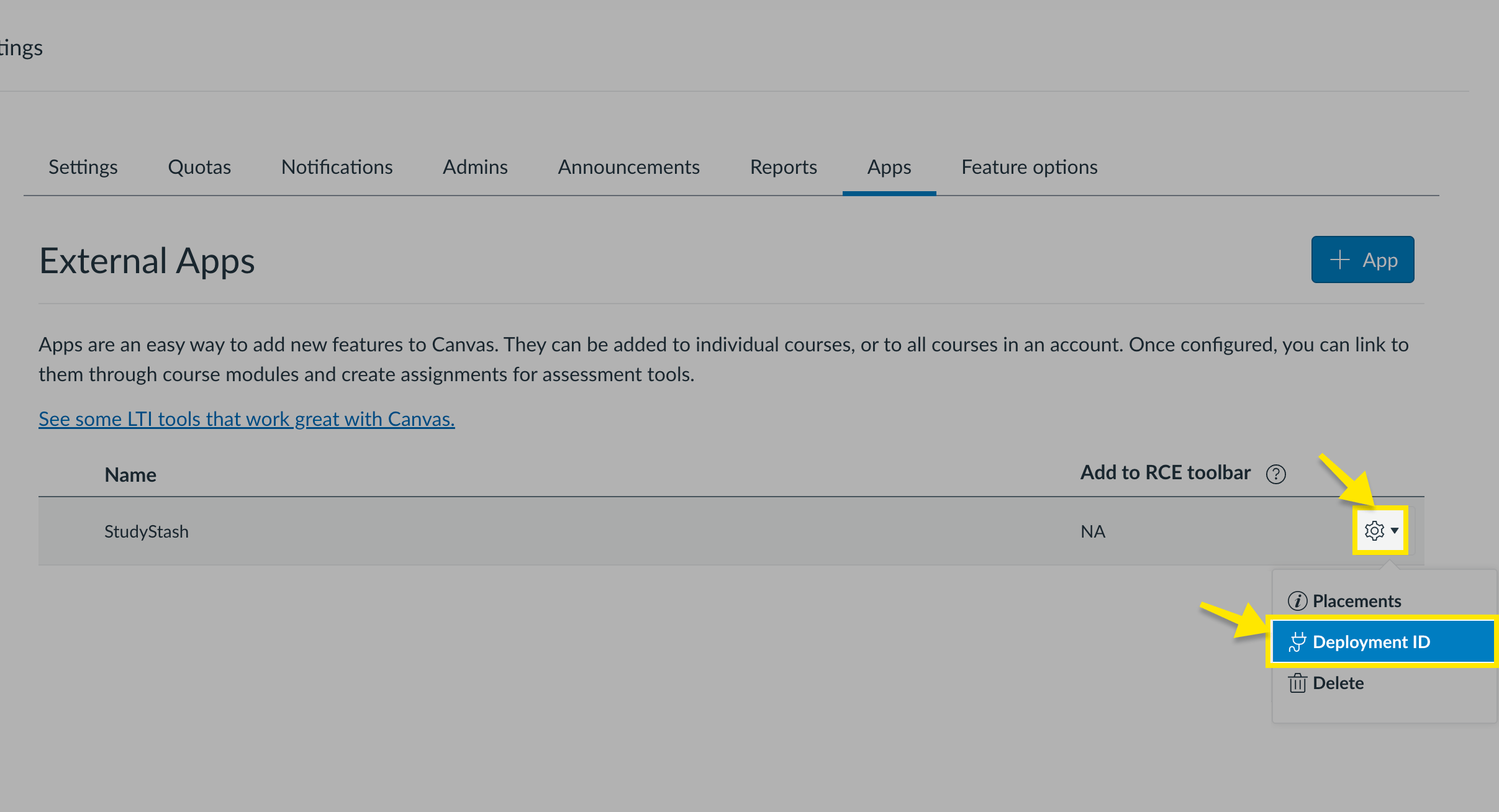
On the new app’s row, open Settings → Deployment ID and copy the .
Find the Deployment ID in the app settings.
5
Connect the deployment to StudyStash
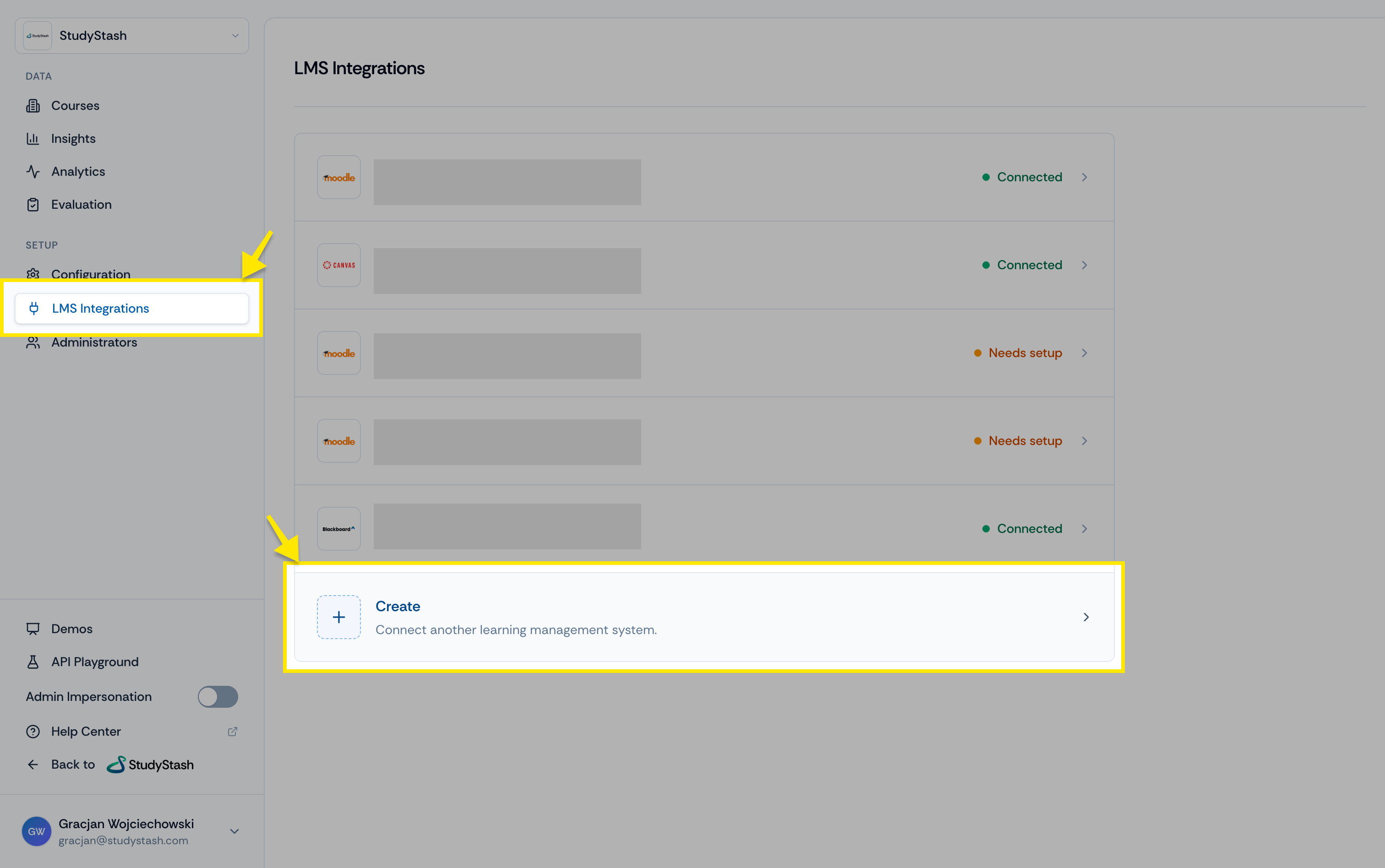
Before users can launch StudyStash from Canvas, add the deployment in the StudyStash Admin Dashboard.Open Setup → LMS Integrations and select Create.
Create an LMS integration in the Admin Dashboard.
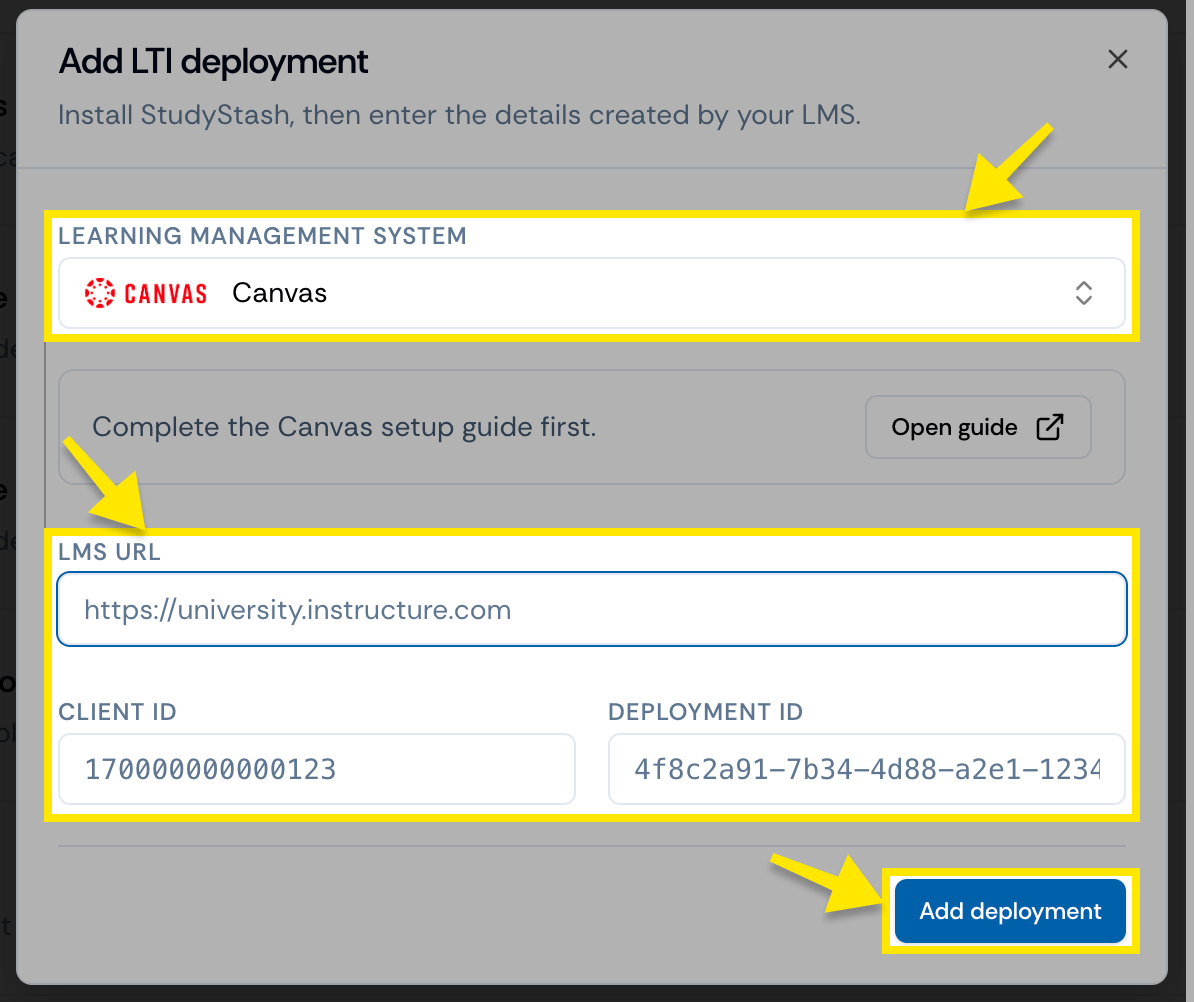
In Add LTI deployment, choose Canvas. Enter your institution’s LMS URL, Client ID and Deployment ID, then select Add deployment.
Enter the Canvas deployment details.
A Connected status confirms the setup details have been entered. Test a course launch to check that users can access StudyStash.