

1

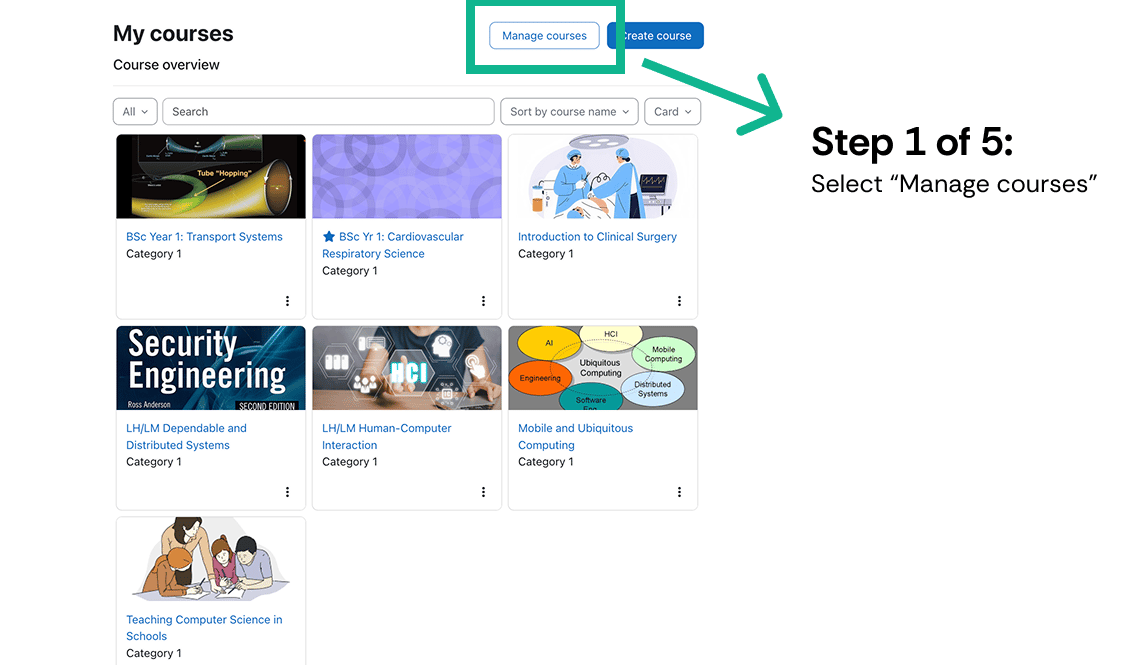
Open Manage courses

Sign in to Moodle and select Manage courses.
Open Manage courses in Moodle.

Open Manage courses in Moodle.

2

Open the enrolled users

Select the course you want to export data from, then select Enrolled users.
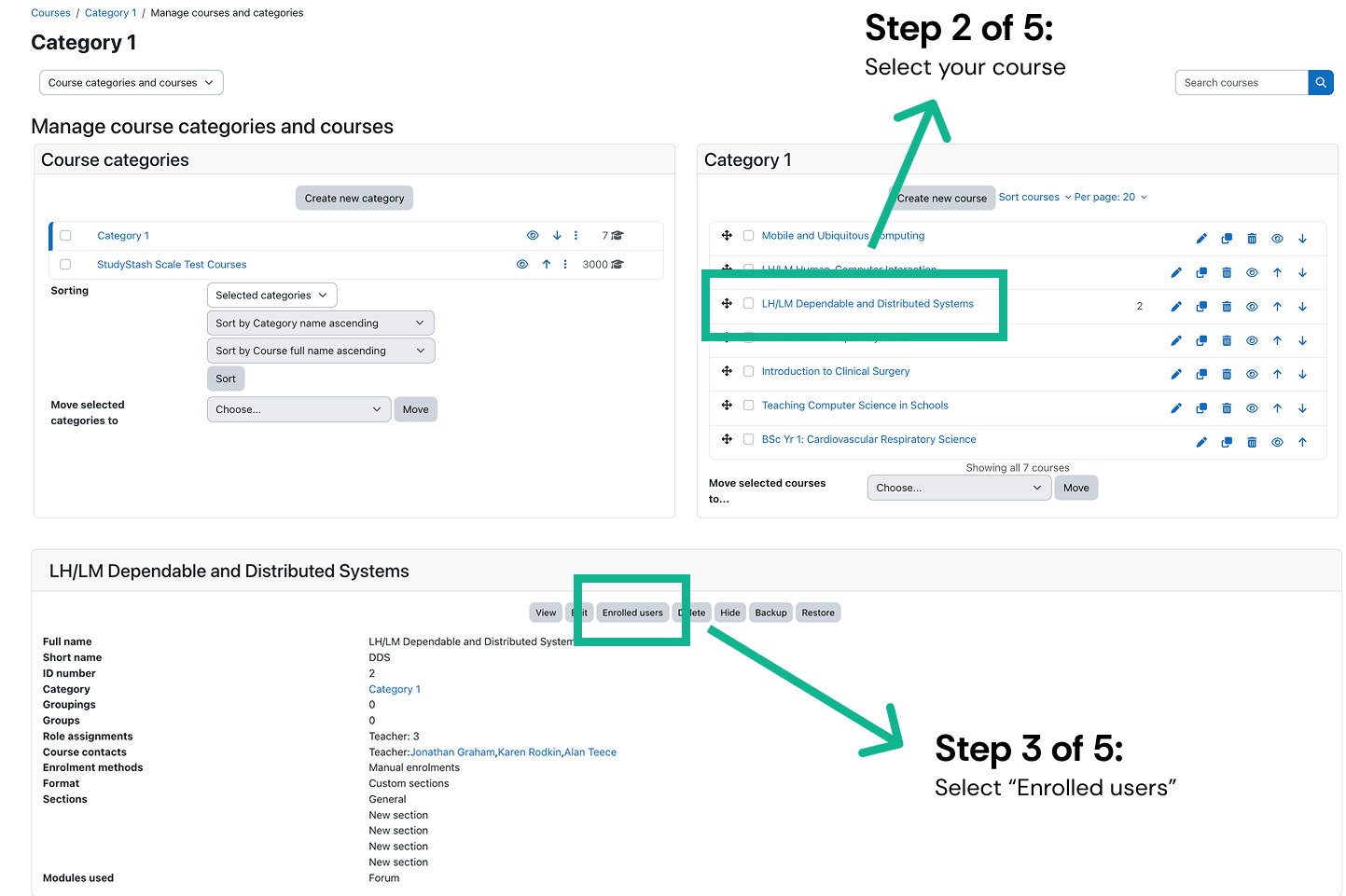
Choose your course and open Enrolled users.
Choose your course and open Enrolled users.

3

Export as CSV

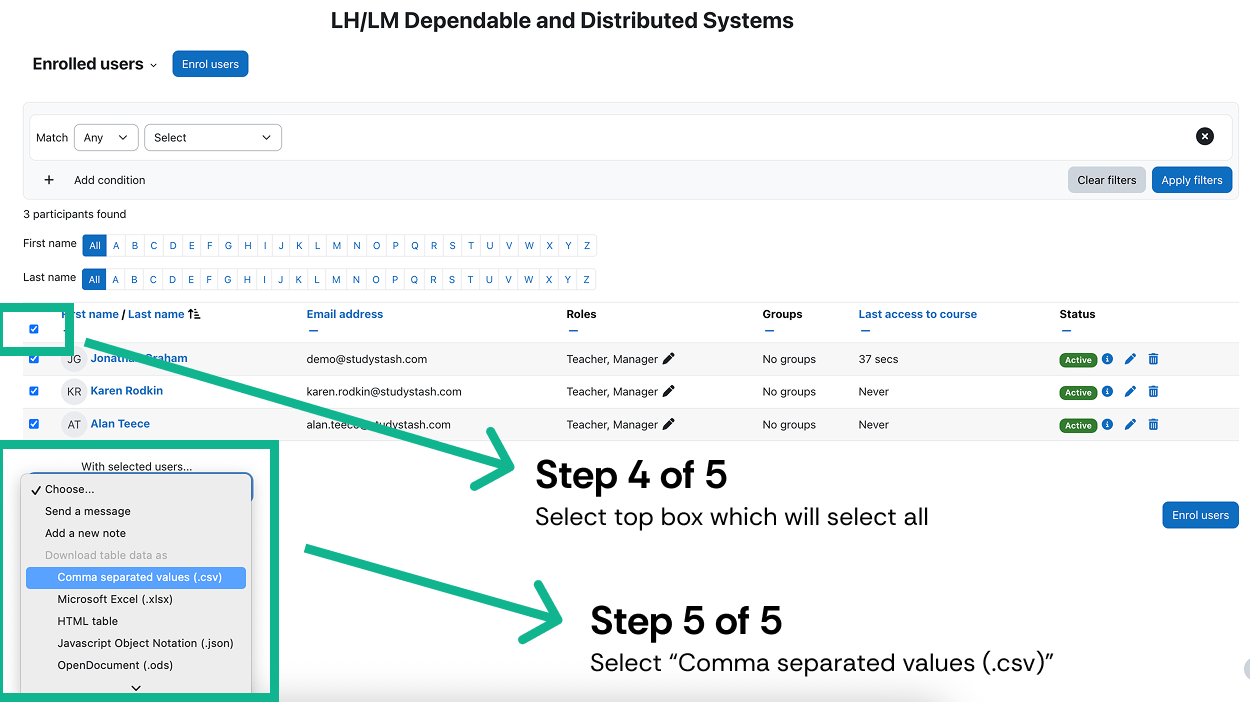
Select the top checkbox to select all users, then choose Comma separated values (.csv) as the file type.
Select all users, then choose Comma separated values (.csv).

Select all users, then choose Comma separated values (.csv).

Prepare your StudyStash import

Use the student and instructor import guide to put the exported details into the StudyStash template.